 Lyonesse

Short answer: open Lyonesse, tap record and put the phone near the front. The words appear as the lecturer speaks, and you can ask questions about the lecture once it ends. It works in airplane mode, because recording and transcription happen on the phone.
Choosing an app first? See what a lecture recorder app for iPhone should do, and when Voice Memos is enough.
Where to put the phone
Audio quality decides how good the transcript is, so this matters more than any setting. Sit near the front if you can. Lay the phone on the desk with the microphone end pointing at the lecturer, or prop it against a bag so nothing blocks it. Don't put it on a notebook you'll be flipping through, because paper rustle is loud to a microphone.
Airplane mode is fine. The app doesn't need a connection, and it saves battery in a hall where your signal is poor anyway.
Here is what goes wrong. From the back of a large hall the speaker is faint and the room echo takes over. If the lecturer walks away from a fixed room microphone and talks to the whiteboard, the phone hears the back of their head. Questions from the audience are often too quiet to catch. No app fixes a bad recording, so if you can only get one good thing, get the seat.
How to record a lecture, step by step
- Before class, open Lyonesse and let it ask for microphone access. Do this at home, not as the lecture starts.
- Start a new recording from the + button on the Content tab. Set the transcription language if the lecture isn't in your phone's language.
- Put the phone down as described above and tap record. The screen shows a timer and a waveform so you know it's listening.
- Take only the notes that are yours: questions, things to check, a bracket round what the lecturer said would be on the exam. The transcript has the rest.
- Tap Stop at the end. The recording is saved, and you can drop it into a folder for the course.
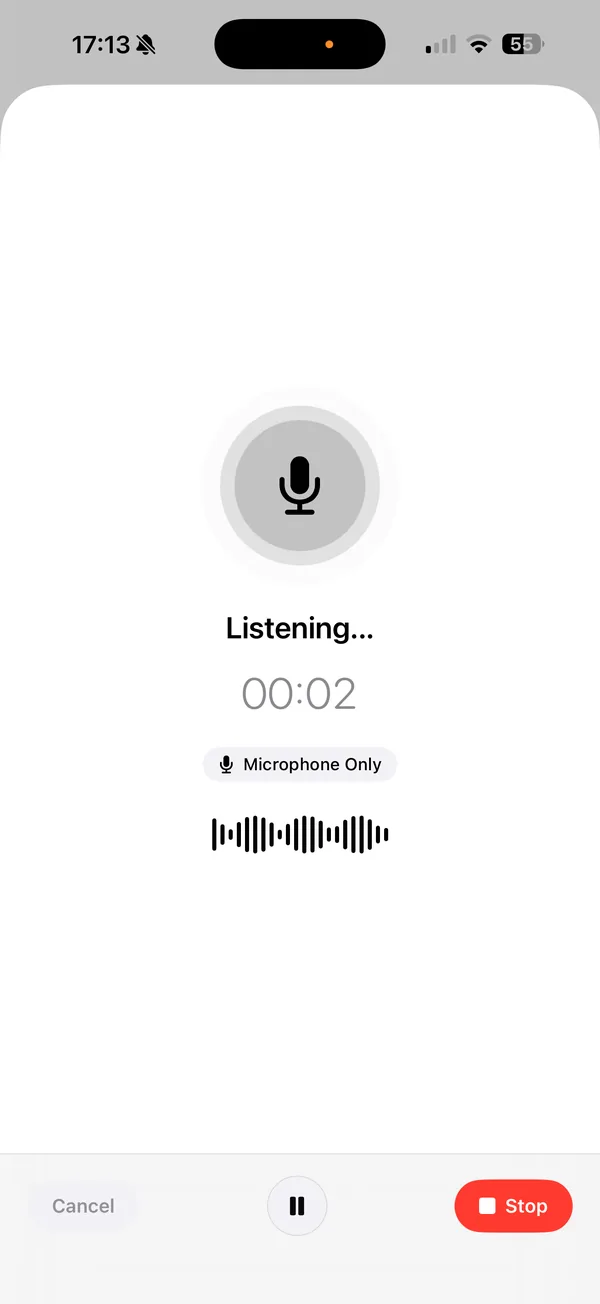
Try it once before the first real lecture. Record two minutes of yourself explaining something, and check the text. It takes less time than the walk to class.
Is it okay to record a lecture?
Not always, so check before you press record. The rules vary by country, state, university and sometimes by course. Some places need the consent of everyone being recorded, and many instructors set their own policy in the syllabus.
- Read the syllabus, then ask the instructor. A short email is enough, and most say yes for personal study.
- Search for your university's name plus "lecture recording policy" and read the official page.
- If you have a disability accommodation, your disability services office usually handles recording permission, and the terms can differ from the general rule.
- Keep the recording for yourself. Sharing it, or posting it online, is a different matter and often not allowed.
This isn't legal advice. If you're unsure, ask.
What to do with the recording
Once the lecture is saved you have three things to work with.
A summary. Generate it right after class while you still remember what was said. It's a good way to spot what you missed.
Questions. Ask about the lecture in plain words, like "what did they say about the exam?" or "what was the definition of backpropagation?". The answer comes from the recording, not from the internet.
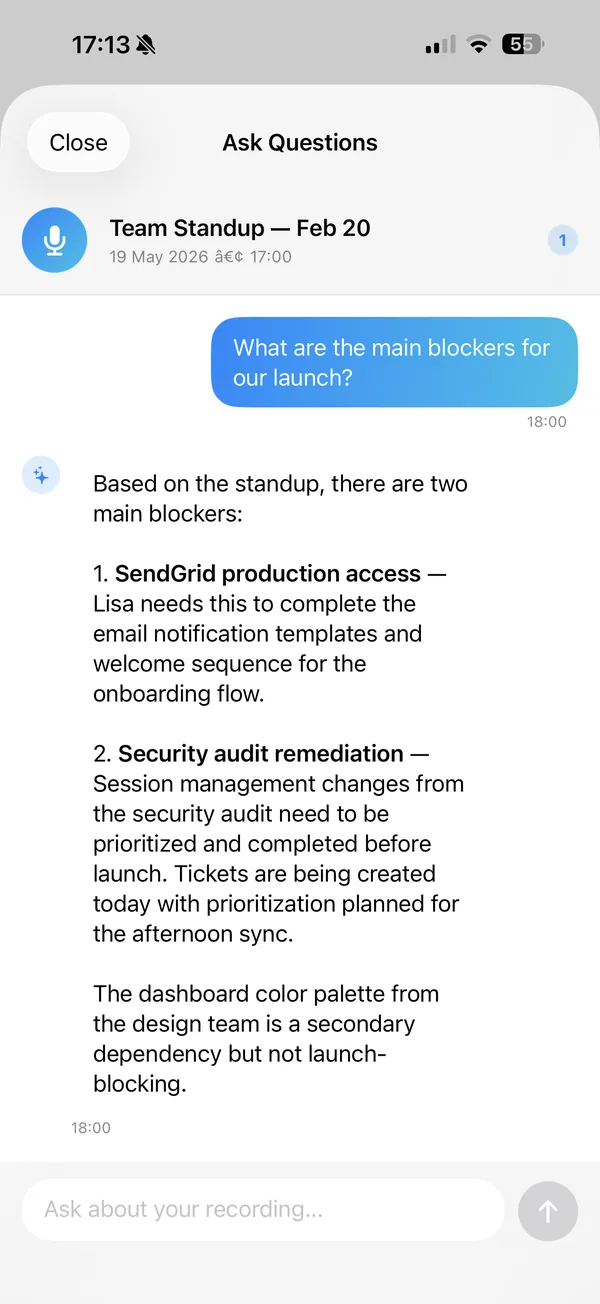
The screenshot shows a meeting recording, but it works the same way on a lecture.
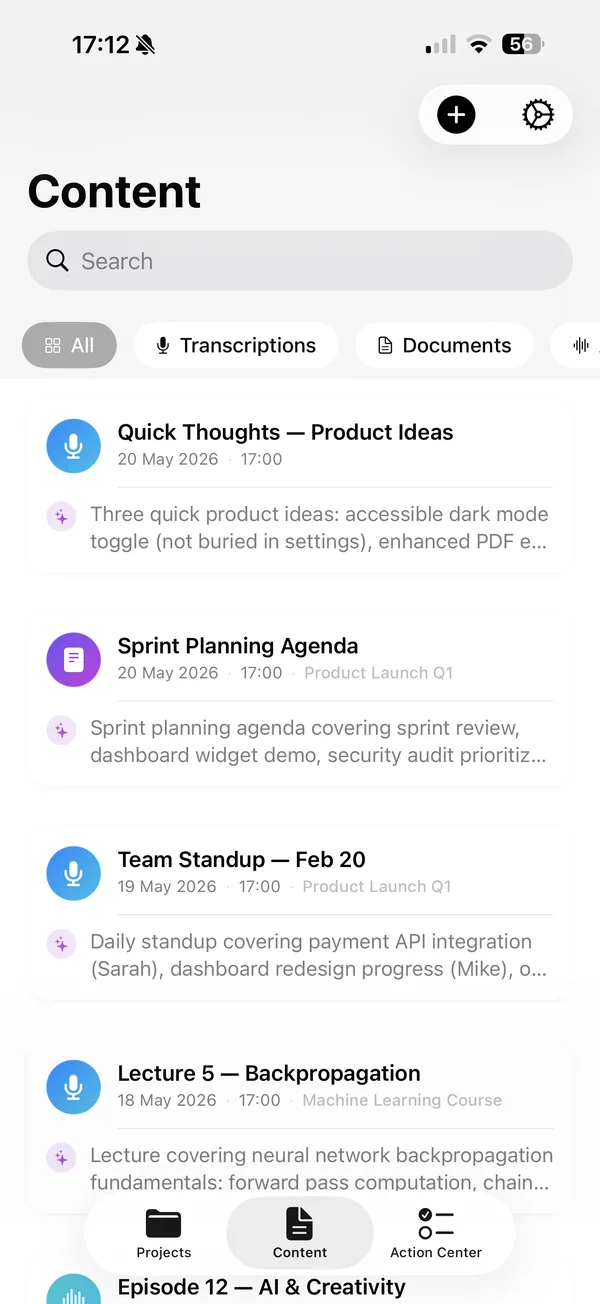
Search. The Content tab has a search bar. Type a term and find the lecture where it came up, weeks later, without scrubbing through audio.
If you want a study sheet from a lecture, that has its own guide: turn lecture recordings into study sheets. For readings, see how to turn a PDF into a study guide.
It works offline
Lecture halls and basements are bad places for a signal. Lyonesse records and transcribes on the phone, so there's nothing to upload and nothing to wait for. Your audio stays on your device. If you want the longer version of how that works, read how to transcribe audio offline.
How accurate is it?
Good on clear speech, worse on everything else. We publish our measurements rather than quote a headline number. In our speech engine benchmark, Apple's newer on-device engine scored a 2.12% word error rate on clean read speech and 4.56% on noisier speech. That's audiobook-style audio, though, and a lecture hall is harder: echo, distance, a lecturer who turns away, and slides full of terms.
Expect mistakes on accents you don't hear often, on names, and on technical vocabulary such as drug names, equations read aloud or a professor's own abbreviations. Skim the transcript for those and correct what matters. Lyonesse transcribes 15 languages. If lectures are split across several speakers, see our speaker labelling benchmark for how that part performs.
What it costs
Lyonesse is $7.99 a month, $29.99 a year or $59.99 once, as of October 2026. For a student the year or the one-off price is usually the better deal. It needs iOS 26 or later on iPhone and iPad, or macOS 26 on a Mac, so check your device first.
Record your next lecture
Recording, transcription, summaries and questions all run on your iPhone, iPad or Mac.
Download LyonesseQuestions students ask
Can I record a lecture on my iPhone?
Yes, the hardware allows it. Whether you may is a separate question: ask the instructor and check your university's recording policy first.
Does Lyonesse need internet to record and transcribe a lecture?
No. Recording and transcription run on the phone, so airplane mode works. Nothing is uploaded.
Which iPhones does it run on?
Lyonesse needs iOS 26 or later (macOS 26 on Mac).
How many languages can it transcribe?
15. The app interface is translated into 14.
Will it catch everything from the back of a big hall?
No. Distance and echo hurt accuracy in any app. Sit closer if you can, and treat the transcript as a good draft, not a perfect record.