Meeting notes that stay offline

Lyonesse records, transcribes and summarizes on your iPhone, iPad and Mac. Nothing is uploaded, there's no account, and no bot joins your calls.

Download free on the App Store

Free to download. Works in airplane mode.
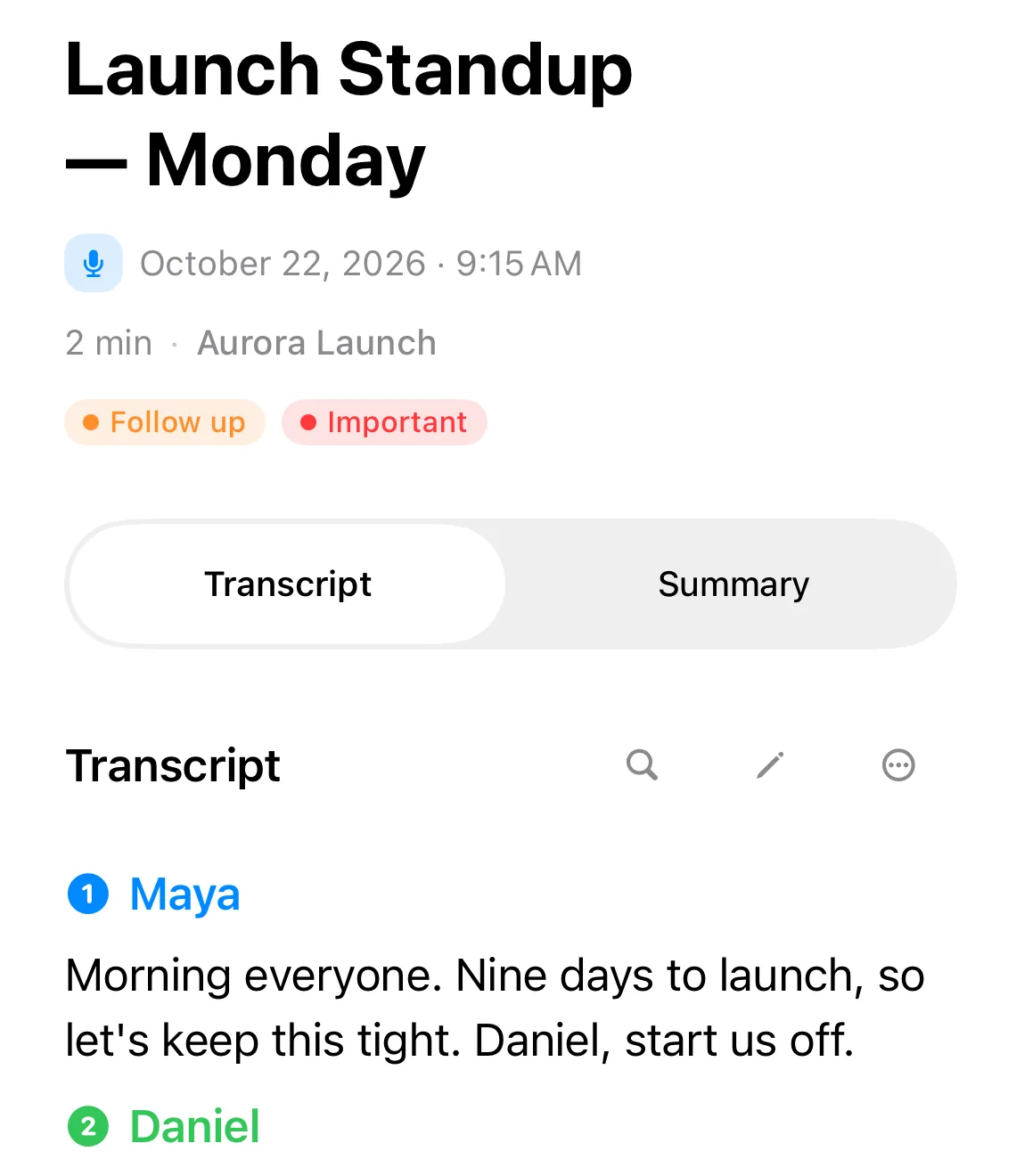
A meeting note in Lyonesse: Launch Standup, with the transcript split by speaker, Maya and Daniel, all made on the device.

Lyonesse in short

Updated October 26, 2026

An offline transcription, dictation and meeting notes app for iPhone, iPad and Mac, with an Apple Watch recorder.

0.02 MB

sent while recording a 10-minute meeting (method and data). Notion's AI Meeting Notes sent 115.7 MB.

15

transcription languages.

Offline

Works in airplane mode. The speech and AI models download once, after that nothing needs a connection.

On your device
Transcription, speaker labels, summaries, action items and chat with your notes all run locally, on Apple Intelligence or a downloadable local model.
Meetings
Records your Mac's microphone and system audio, so no bot joins the call. No account needed.
Speech models
Apple Speech or NVIDIA Parakeet, your pick. We benchmark on-device speech models so you don't have to guess.
Imports
Audio, video, PDFs, Word, Excel and PowerPoint files, and photos.
Private
No sign-up, no email, no ads. Your recordings and documents are never uploaded.
Price
Free to download, with one recording to try everything. A monthly or yearly subscription, or a one-time lifetime purchase, removes the limit.

What it does with a recording

Every recording becomes a note you can skim, search and ask, and none of it leaves your device.
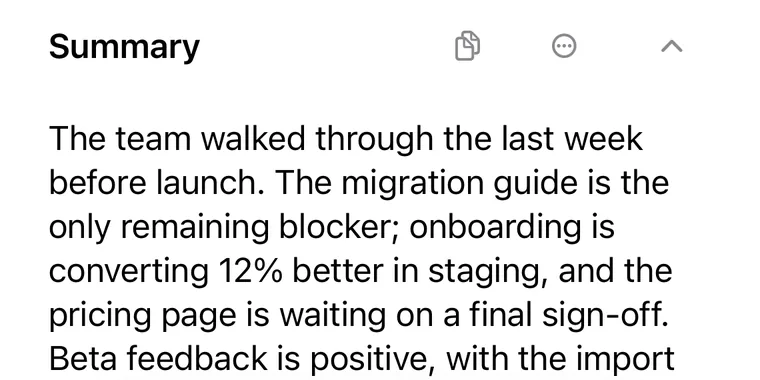
The summary of the Launch Standup note in Lyonesse.
Summaries and key pointsEvery recording gets a summary, key points and decisions, so you can skim a 60-minute meeting in seconds.
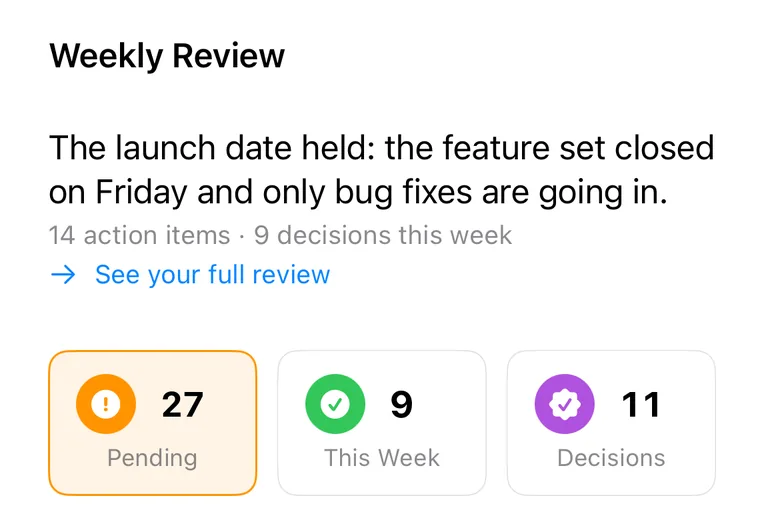
The Tasks screen in Lyonesse: a weekly review, 27 pending tasks, 9 this week and 11 decisions.
Action CenterEvery task, owner and due date in one list.
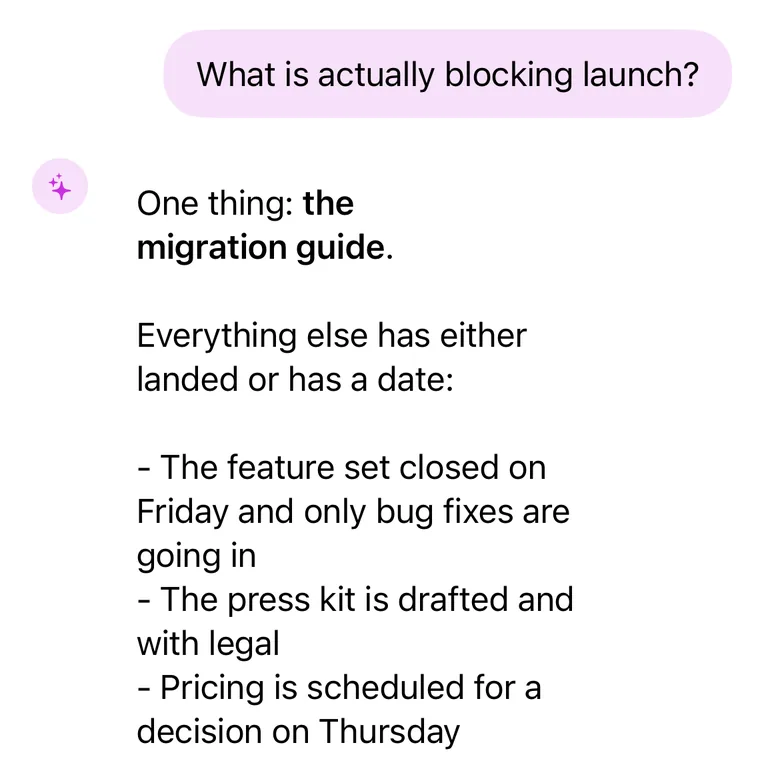
Ask Lyonesse on iPhone: the question What is actually blocking launch, answered from the user's own notes.
Ask LyonesseAsk your whole library in plain language. Answers come with citations, offline.
Chat with your documentsIt reads, summarizes and answers questions about them, scanned pages included, with on-device OCR.
Fully offlineTranscripts, summaries, action items and questions all work with no connection.

Tap to record

This is the record button from the app. Press it to replay a sample standup: live captions with speaker labels first, then the summary and the action items. It's a replay, so nothing here uses your microphone.

Launch Standup, Monday 2 min

Press record. The live captions show up here.

Summary. The team walked through the last week before launch. Feature set is closed, no new work goes in before the 15th. Migration guide is unwritten and blocks the announcement.

  • Write the migration guide draftPriya, Wednesday
  • Bring both pricing options with the numbers to Thursday's meetingMaya, Thursday
  • Rewrite the announcement post around the import flowPriya, Friday
Ready 00:00

Meetings without a bot

Link your calendar, hit record, and watch full-screen live captions during the call. Lyonesse labels who said what on the device, flags you when your name comes up, then drafts the minutes and action items when you stop. Not a second of audio goes anywhere.
  • Calendar linking and live captions. The right meeting, captioned as it happens.
  • On-device speaker labels and an alert when someone says your name.
  • Minutes drafted for you, with action items sent to Apple Reminders.
  • Your Mac's microphone and system audio, so it works with any call app.
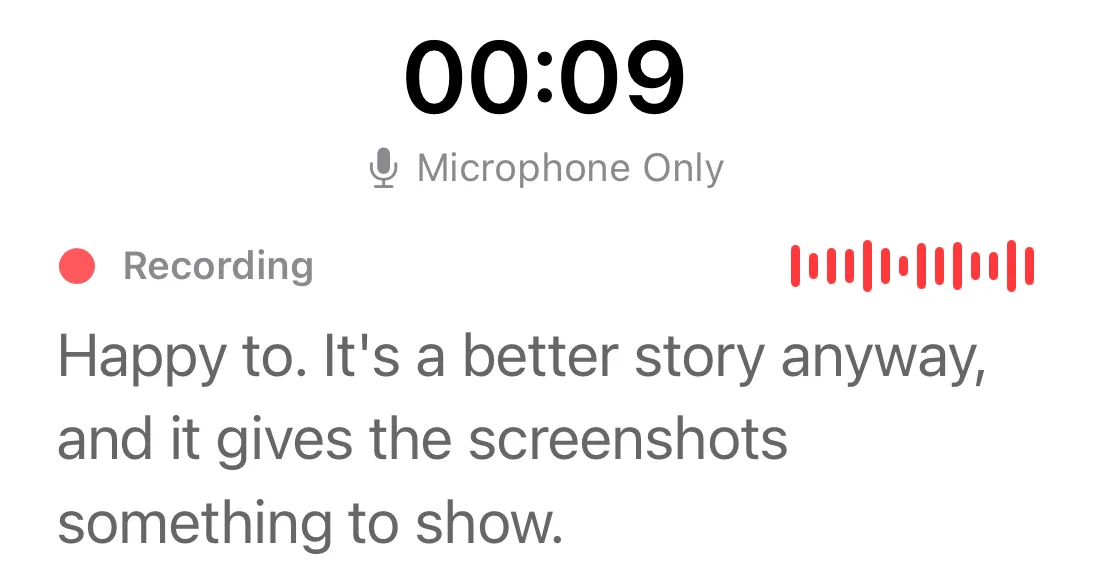
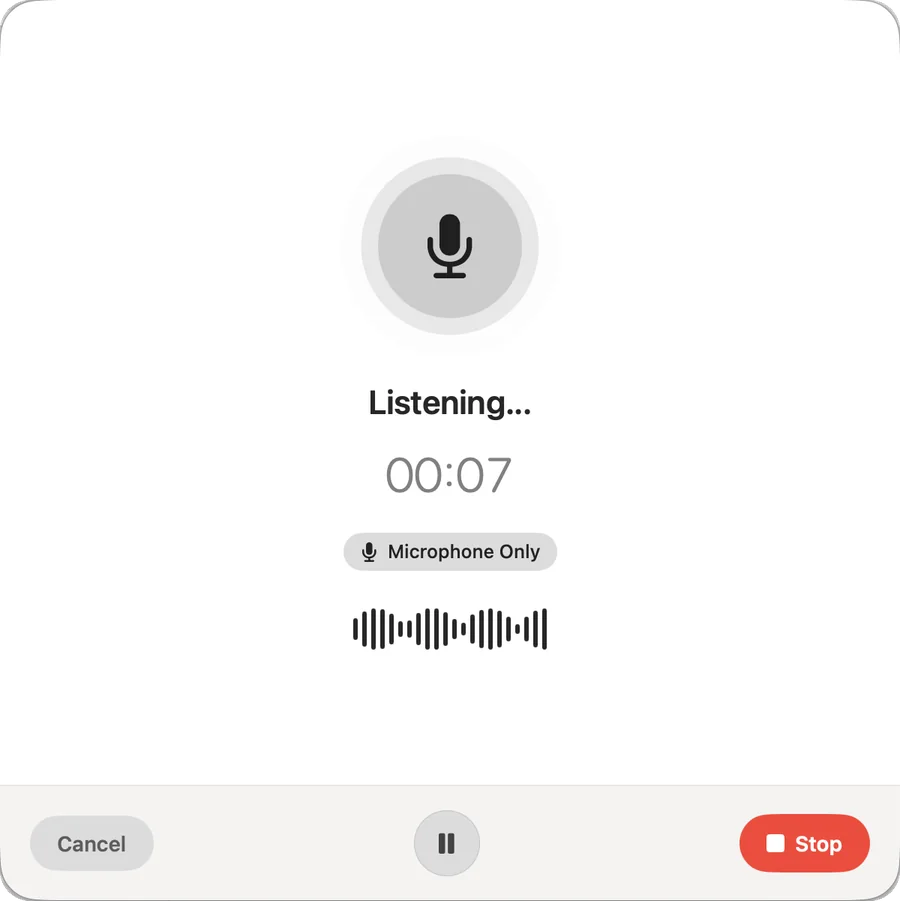
The Lyonesse recording sheet on the Mac: Listening, 00:07, Microphone Only, with Cancel, Pause and Stop.
A winter storm at the Raz de Sein, with La Vieille lighthouse on the horizon

Named after a land the sea cut off

In Cornish legend, Lyonesse was the country past Land's End until the sea took it. The rocks it left behind still carry lighthouses, and each one keeps working on its own, with no line to the shore.

That's the idea behind the app. Your recordings, transcripts and documents stay on your device, and everything Lyonesse does with them happens there too.


Longships lighthouse on its reef off Land's End, in grey weather.
Longships, off Land's End
Bishop Rock lighthouse standing on its rock in open sea.
Bishop Rock, Isles of Scilly
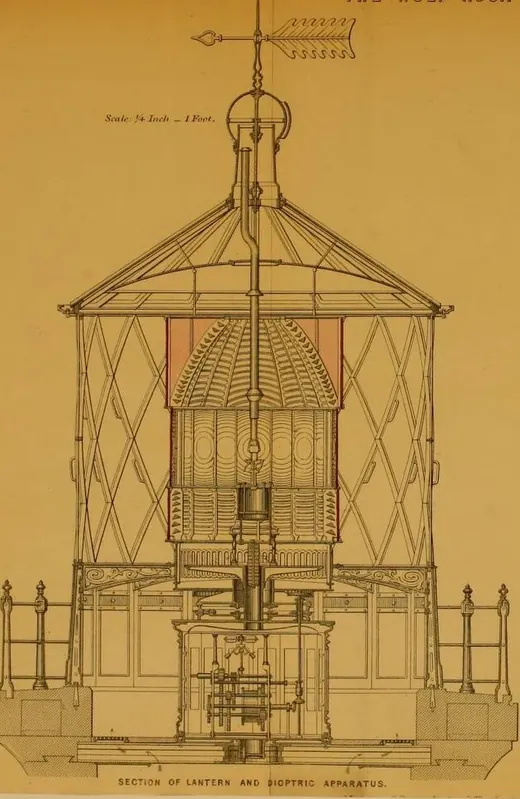
Engineering drawing of the Wolf Rock lantern room in section, 1870.
The Wolf Rock lantern, 1870
Peninnis lighthouse, a white iron tower on the granite of St Mary's.
Peninnis, St Mary's
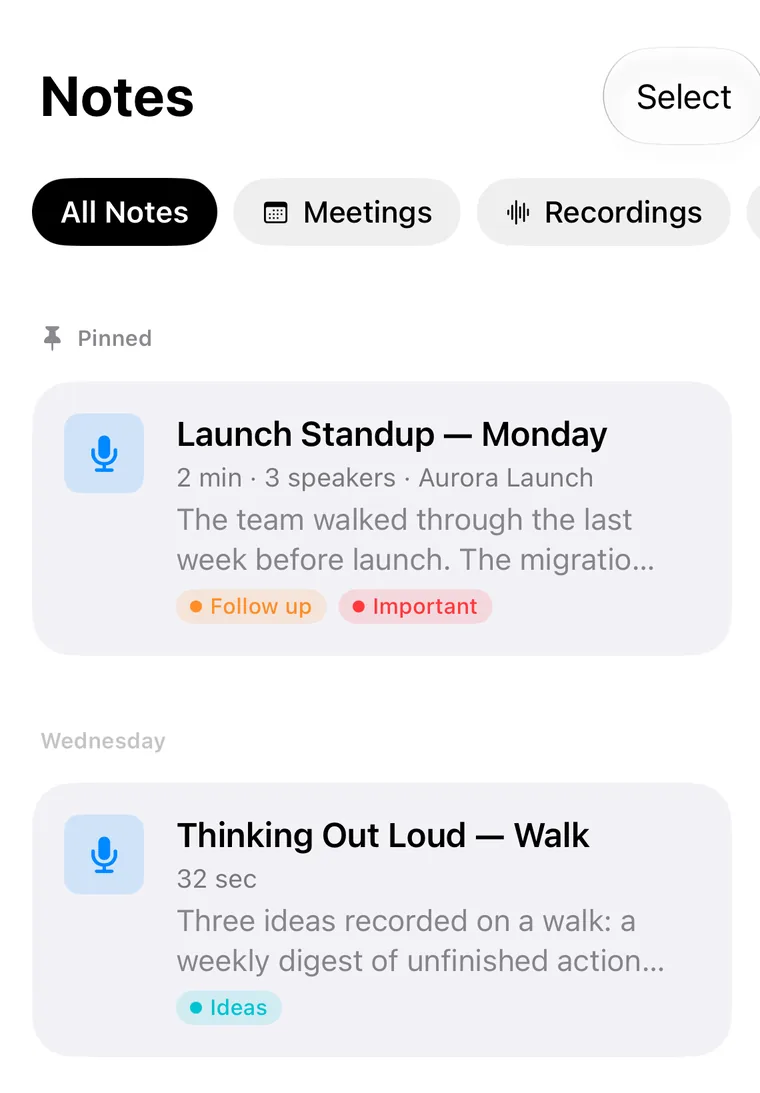
The Notes list in Lyonesse on iPhone: a pinned Launch Standup with 3 speakers, and a voice note recorded on a walk.

Who it's for

Students and lectures

Lyonesse transcribes lectures in real time, even in a lecture hall with no Wi-Fi. Turn course PDFs into study guides and revise with document Q&A, all privately.

  • Lecture recording and transcription
  • Study guides from course PDFs
  • Exam prep with document Q&A

Read how to transcribe audio on iPhone or the lecture-notes guide.

Business and meetings

Capture meeting notes, pull out action items and analyze reports while sensitive data stays on your device. It suits work where client and patient confidentiality matters.

  • Meeting transcription and summaries
  • Action items with owners
  • Contract and document analysis

See our guides to private transcription apps and HIPAA-friendly transcription.

Journalists and interviews

Record in the field without cell service, transcribe on the spot and analyze interviews, while your sources stay protected. Nothing is exposed to a cloud server.

  • Interview transcription
  • Research document analysis
  • Quote extraction and checking

Read how to transcribe an interview or how it compares to Whisper on the device.

Confidential documents

Ask questions about a contract, report or medical record without uploading it. Lyonesse reads PDFs, Word, Excel, PowerPoint and images on the device, scanned pages included, and answers in plain language.

Learn how to chat with a PDF offline or read about HIPAA-friendly, on-device AI.

A private meeting assistant

Calendar linking, live captions, on-device speaker labels, action items and drafted minutes, with no bot in the call and no cloud upload.

Read about AI meeting notes that work offline, and whether Fireflies works offline.

How it compares

On-device Lyonesse next to the cloud transcription services people usually ask about.

Read the full Lyonesse vs. Otter.ai comparison.

FeatureLyonesseOtter.aiFirefliesRev
Works fully offlineYesNoNoNo
No cloud uploadYesNoNoNo
Chat with your PDFs and documentsYesNoNoNo
Ask across your whole libraryYesNoNoNo
Choose your on-device AI modelYesNoNoNo
Automatic action itemsYesYesYesNo
Real-time transcriptionYesYesYesYes
No account neededYesNoNoNo
Starting priceFree$16.99/mo$10/mo$0.02/min

Free to start

The free version keeps one recording, so you can try everything on your own audio. A paid plan removes the limit.

Free

$0

  • One recording
  • Every feature to try
Download

Monthly

$7.99 a month

  • Unlimited recordings
  • Every feature
  • Billed every month
Choose monthly

Yearly

$29.99 a year

  • Unlimited recordings
  • Every feature
  • Billed once a year
Choose yearly

Lifetime

$59.99 once

  • Unlimited recordings
  • Every feature
  • One payment, no subscription
Buy lifetime

Prices in US dollars. Current local prices are on the App Store.
Questions

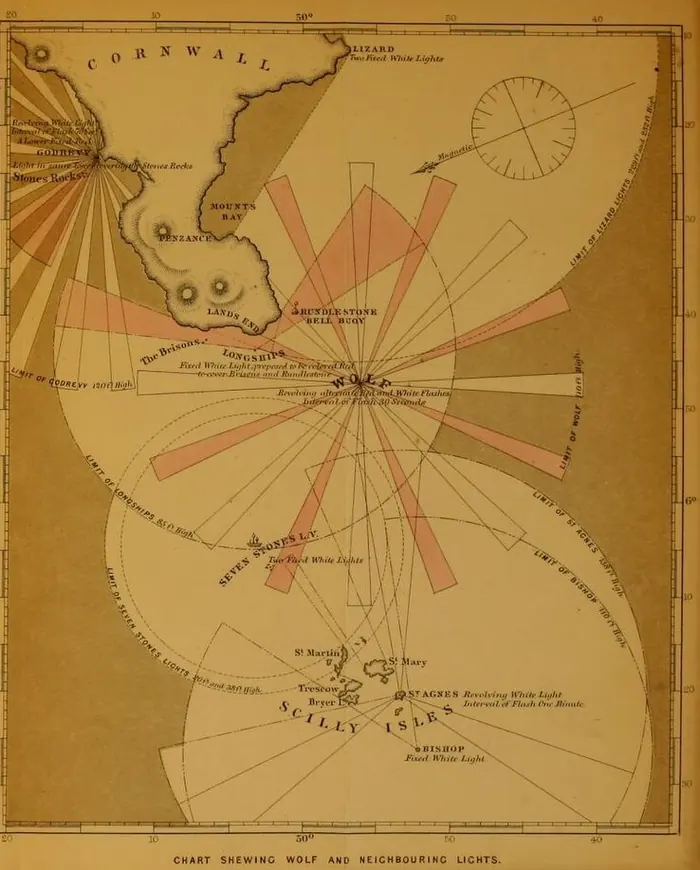
An 1870 chart of the Wolf Rock and neighbouring lights, from Cornwall to the Scilly Isles.
Chart of the Wolf and neighbouring lights, Cornwall to Scilly, 1870

How does Lyonesse protect my privacy?

Lyonesse processes everything on your device using Apple Intelligence and on-device speech models. Your recordings, transcriptions and documents never leave your iPhone, iPad or Mac. There are no accounts and no cloud AI provider, and your recordings and documents are never uploaded.

What devices support Lyonesse?

Lyonesse is a universal app for iPhone, iPad and Mac. On-device AI features work best on Apple Intelligence-capable hardware: iPhone 15 Pro or later, iPad with an M-series chip, and Mac with Apple Silicon.

Does Lyonesse work offline?

Yes. All transcription, summaries, action-item extraction and Q&A happen on the device without an internet connection, so Lyonesse works in airplane mode, lecture halls and anywhere without Wi-Fi.

What is the Action Center?

The Action Center pulls every task, decision and follow-up out of your notes, transcripts and documents into one prioritized list, with owners and due dates, so nothing slips through the cracks after a meeting.

Can I chat with a PDF without uploading it?

Yes. Lyonesse reads and answers questions about your PDFs, Word, Excel and PowerPoint files and images entirely on the device, scanned pages included, with on-device OCR. Confidential documents never leave your iPhone, iPad or Mac, it works in airplane mode, and there's no account to create.

Does Lyonesse work as a private meeting assistant?

Yes. Lyonesse links to your calendar, shows live captions during the call, labels speakers on the device, alerts you when your name is mentioned, pulls out action items and decisions, and can draft meeting minutes. All of it runs locally, with no meeting bot and no audio sent to the cloud.

How much does Lyonesse cost?

Lyonesse is free to download. The free version lets you keep one recording, so you can try recording, transcription, summaries and questions on your own audio. The paid plans remove that limit: a monthly or yearly subscription, or a one-time lifetime purchase. Current prices are on the App Store.

How is Lyonesse different from Otter.ai or Fireflies?

Unlike Otter.ai, Fireflies and other cloud services, Lyonesse runs fully offline with all processing on your device. That means no cloud upload, full functionality without internet, and transcription, document analysis, an Action Center and Q&A in one app.

Start a recording

Free on the App Store for iPhone, iPad and Mac. No account to make, and your first recording never leaves the device.

New recording

Download on the App Store

Records from the microphone on any device.