What should a lecture recorder app do?
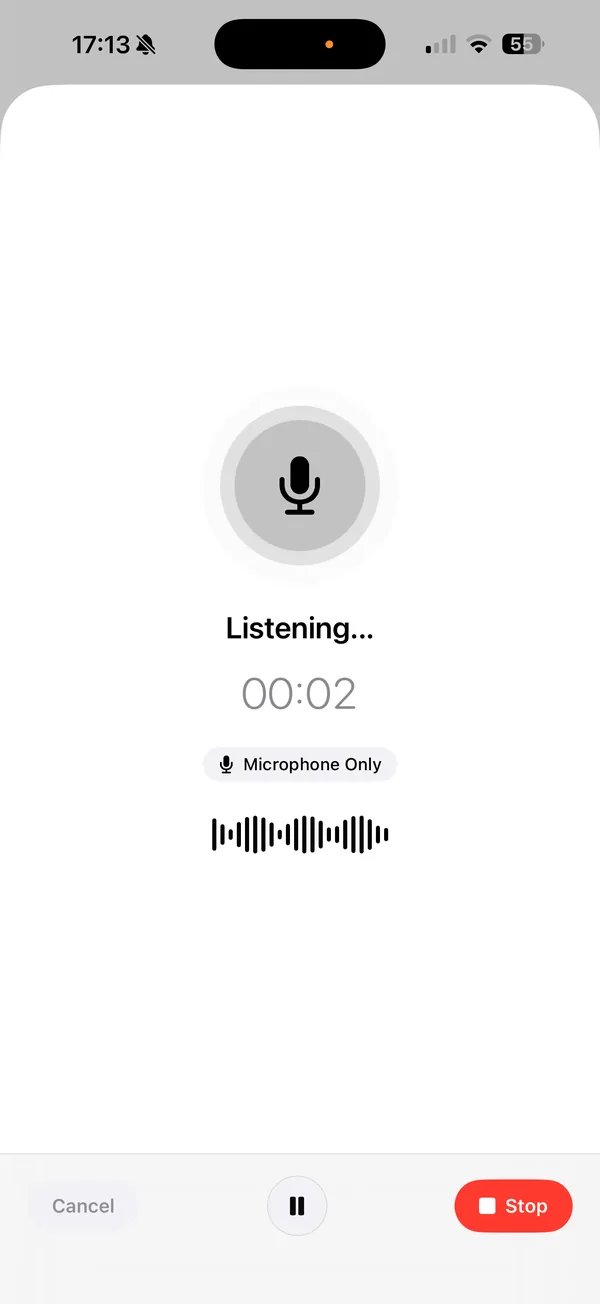
Record the whole class without dropping out, show you the words while the lecturer talks, and give you something shorter to revise from afterwards. Lyonesse is a lecture recorder app for iPhone that does those three things on the device. Nothing is uploaded and you don't create an account.
If you only need the audio, you may not need an app at all. There's a section on that below.
Can it record a full lecture?
Yes. Tap record at the start of class and leave the phone on the desk. Recording keeps going with the screen locked, and the audio is written to disk as it arrives, so a long session doesn't pile up in memory. If iOS kills the app in the middle of a recording, Lyonesse finds the saved audio the next time you open it and recovers the recording.
We haven't set or tested a maximum length, so we won't promise one. For a 90 minute lecture, plug in or start with a decent battery, since recording and live transcription both use the phone.
Can I read the lecture as it happens?
Yes. The transcript appears while you record. There's also a full-screen live captions view with large text, which was built for in-person lectures and meetings and helps if you're deaf, hard of hearing, or just sitting at the back. It marks different speakers with colors and numbers.
Live text is a good draft, not a perfect record. Distance, echo and heavy accents hurt accuracy in every transcription app. Sit closer if you can, and put the phone near the speaker.
What do I get after class?
A transcript, and from it a summary. Smart Drafting can also write a study sheet with key concepts and definitions from the same lecture. You can ask questions about what was said, such as "what did the professor say the exam covers?", and read the answer from the transcript. See how to make study sheets from a lecture recording for the full steps.
How do I find something from three weeks ago?
Search covers the whole library. It scans titles, summaries, transcripts, action items and key points on the device, and shows a snippet around each match. If you can't remember which lecture covered a term, type the term. Put each course in its own project and you can ask questions across every lecture in that course, which helps in exam week.
Does it work offline in the lecture hall?
Yes. Lecture halls often have bad signal, and that doesn't matter here. Recording, transcription, summaries, search and Q&A all run on the phone, so airplane mode works. By default Lyonesse asks Apple's on-device speech recognition to stay on the device. A language with no on-device model only goes to Apple's servers if you switch that on for the language yourself.
We wrote more on recording lectures on iPhone and turning them into notes, including where to put the phone and how to name files.
Do I need an account?
No. Open the app and record. Lyonesse needs iOS 26 or later, and it transcribes 15 languages.
When is the built-in Voice Memos app enough?
Often. Voice Memos is free, already on your phone, and records reliably. If you only want to replay a lecture, or you mostly learn by listening, use it. Recent iOS versions can show a transcript there too, and our Voice Memos and Apple Intelligence comparison covers what it can and can't do.
It gets thin when you want a summary, a study sheet, questions answered from the lecture, or search across a whole term. That's the gap Lyonesse fills. Lyonesse is free to download, but the free version holds one recording and more needs a subscription or the lifetime purchase, so if Voice Memos covers what you need, keep using it.
What does it cost?
It's free to download, and the free version holds one recording, enough to test it on a real lecture. After that you need a subscription or the lifetime purchase. Current prices are on the App Store listing.
Related reading
- How to record a lecture on iPhone and get notes
- Make study sheets from a lecture recording
- Transcribe audio offline with no account
Frequently Asked Questions
What is the best lecture recorder app for iPhone?
It depends on what you want afterwards. If you only need audio, the built-in Voice Memos app is fine. If you want a live transcript, a summary, a study sheet and search across every lecture, Lyonesse does that on your iPhone, offline, with no account.
Can I use a class recorder app offline?
Yes. Lyonesse records and transcribes on the device, so it works in a lecture hall with no signal. The AI summary and study sheet are made on the device too.
Does Lyonesse need an account to record a class?
No. You open the app and record. There is nothing to sign in to.
Is it free?
Lyonesse is free to download, and the free version lets you try it with one recording. Keeping more than that needs a subscription or the lifetime purchase, with current prices on the App Store listing.
Get Lyonesse
Record your next lecture on your iPhone and read it as it happens. Private, on-device, no account.
Get Lyonesse on the App Store